
Course environment#
During this course, we will use different tools and applications for programming and communications. This page gives a general overview of all the elements. In the next page, we will see how to install the needed programs.
Moodle Course Page _ for the initial sign up and sharing of files
Interactive code cells for live coding in the browser
Miniconda Python environment for installing Python and other packages
JupyterLab for the actual programming
Git and GitHub for version control and documentation
Moodle Course Page#
The Moodle course page is where students officially sign up for the course. The lecturer will give the password for accessing the course page. The Moodle page will also be use to share some files.
Interactive code cells#
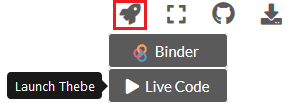
All pages with code cells can be turned into an interactive mode where you can run the code directly in the browser!
Note
The interactive code cells are a new feature from the 2020 course materials that is still a bit experimental! Remember, you can always open up the materials in Binder and run the code in there.
Miniconda Python environment#
In this course, you will work on your own computer. For that, you need to install Python (via Miniconda).
JupyterLab#
JupyerLab is an open-source web-based user interface for doing data science. The JupyterLab interface consists of different components such as a file browser, terminal, image viewer, console, text editor, etc.
Jupyter Notebooks (filename extension .ipynb) are documents inside the JupyterLab environment which contain computer code, and rich text elements (figures, links, etc.).
Jupyter Notebooks are perfect for documenting a data science workflow in an interactive format.
We use JupyterLab/Jupyter Notebooks as the default programming environment during this course. All of the course materials are available in a JupyterLab setting via `cloud computing environments`_ (Binder or CSC Notebooks).
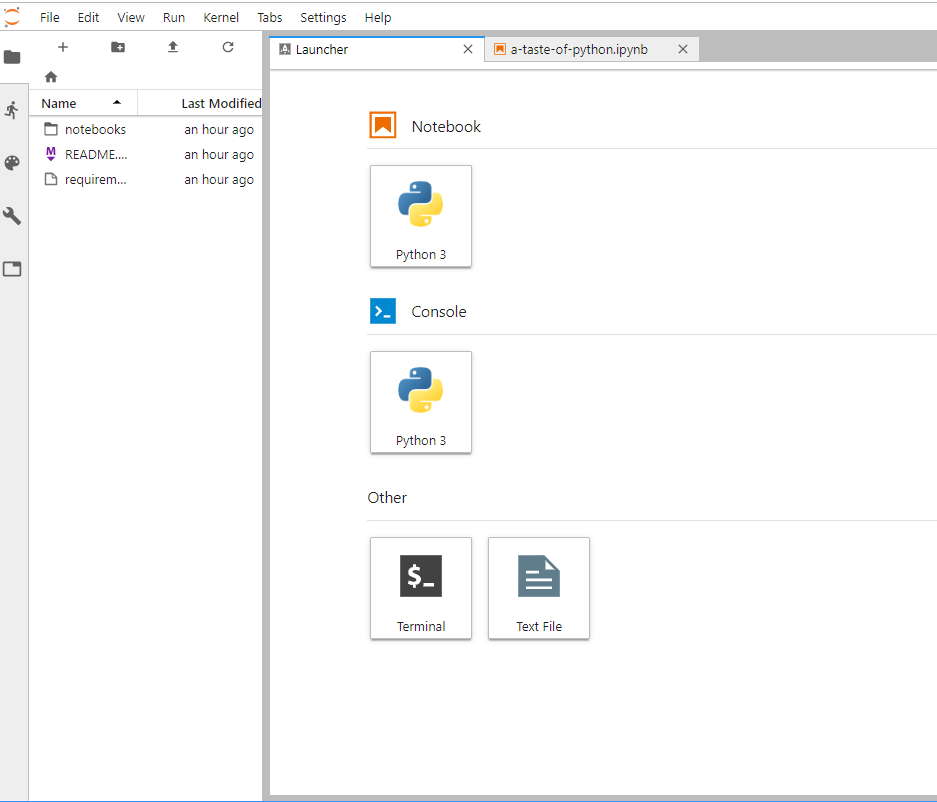
Basic view of JupyterLab#
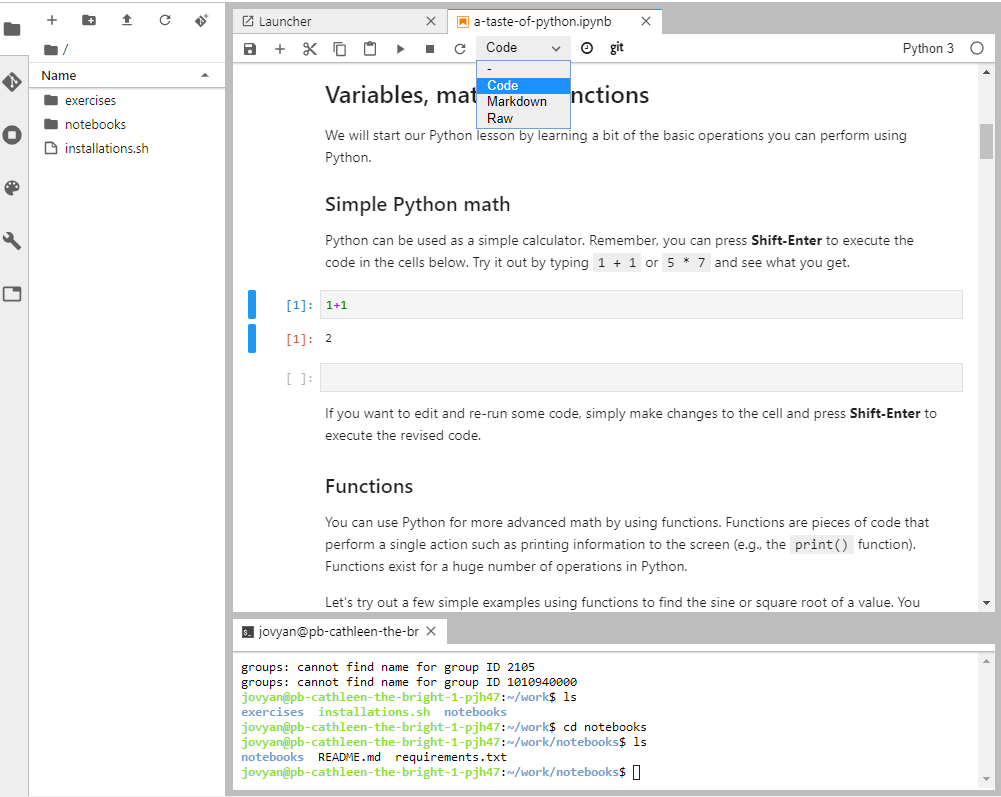
A Jupyter Notebook open in JupyterLab#
Git and GitHub#
One of the core goals of this course (besides learning programming) is to learn how to use version control with Git and storing your codes (privately) on GitHub.
Git is a version control software (developed by a rather famous Finn named Linus Torvalds - he also created Linux!) that is used to track and store changes in your files (often source code for programs) without losing the history of past changes. Files in Git are stored in a repository, which you can simply think of as a directory containing files (or other directories) related to a single ‘project’. Git is widely used by professionals to keep track of what they’ve done and to collaborate with other people.
GitHub is a web based Git repository hosting service and social network. It is the largest online storage space of collaborative works that exists in the world. It is a place where you can share your code openly to the entire world or alternatively only to your collaborators working on the same project. GitHub provides a nice web-interface to your files that is easy to use. It is a nice way for exploring the codes and documentation or e.g., teaching materials such as those in our course.
Both Git and GitHub provide many more features than the ones mentioned here, but for now we are happy to understand the basic idea of what they are.
Page summary#
Now you should have (at least) a basic idea about the different components of our course environment and what they mean. You don’t need to understand everything fully at this point as they will become clearer when we start using the course environment.